You know you should post consistently.
You know consistency wins on social media.
But every week, you’re staring at a blank screen asking: “What should I post today?”
Without a content calendar, you’re flying blind.
No strategy. No plan. No consistency. Just chaos.
In this guide, we’ll show you exactly how to build a content calendar that keeps you organized, consistent, and focused on what actually drives results.
Plus, we’re giving you a free, done-for-you template you can download and use immediately.
Why Your Business Needs a Content Calendar
The Problem Without One
Most business owners post randomly:
- Monday: “I’ll post about our new service”
- Wednesday: “Oh, I forgot to post”
- Friday: “Let me throw something up quick”
- Result: Inconsistent, low-quality content that doesn’t convert
The algorithm punishes inconsistency. Facebook, Instagram, and LinkedIn all reward consistent posting. If you post sporadically, the algorithm deprioritizes your content.
You miss lead opportunities. Without a plan, you’re not strategically mixing content types. You’re not balancing educational posts with promotional posts. You’re not building a narrative that converts.
You waste time. Every day, you’re starting from scratch. No planning. No batching. Just scrambling.
The Solution: A Content Calendar
A content calendar is your roadmap to consistency.
It answers these questions:
- What should I post this week?
- When should I post it?
- Which platform should it go on?
- What’s the goal of this post?
- How does it fit into my overall strategy?
Result: Organized, strategic, consistent content that drives real results.
What a Great Content Calendar Includes
1. Posting Schedule
- Frequency: How many times per week on each platform
- Timing: What time of day posts go live
- Platform: Which social media channels get which content
Example:
- Facebook: 2x per week (Tuesday 10am, Friday 2pm)
- Instagram: 2x per week (Monday 9am, Thursday 6pm)
- LinkedIn: 1x per week (Wednesday 8am)
2. Content Mix
- Educational content: 40% (tips, how-tos, insights)
- Promotional content: 20% (offers, CTAs, sales)
- Engagement content: 20% (questions, polls, behind-the-scenes)
- Social proof: 20% (testimonials, case studies, user-generated content)
This mix keeps your audience engaged without feeling “salesy.”
3. Content Themes
- Weekly themes: “Tip Tuesday,” “Feature Friday,” “Motivation Monday”
- Monthly themes: Product launches, seasonal campaigns, awareness months
- Quarterly themes: Bigger campaigns, promotions, strategic pushes
Example for a Fitness Coach:
- Monday: Motivation Monday (transformation stories, inspirational quotes)
- Wednesday: Workout Wednesday (exercise tips, workout routines)
- Friday: Feature Friday (client success stories, testimonials)
4. Engagement Plan
- Response time: How quickly you’ll respond to comments
- Engagement tactics: Questions to ask, CTAs to include
- Community management: How you’ll build relationships
5. Performance Tracking
- Metrics to track: Engagement, clicks, leads, conversions
- Review schedule: Weekly or monthly performance reviews
- Optimization: What’s working? What needs to change?
How to Build Your Content Calendar (Step-by-Step)
Step 1: Define Your Goals (15 minutes)
Before you create content, know what you’re trying to achieve.
Ask yourself:
- What’s my primary goal? (Lead generation, brand awareness, sales, engagement)
- Who am I trying to reach? (Target audience)
- What action do I want them to take? (Book a call, buy a product, share content)
- What platforms matter most? (Facebook, Instagram, LinkedIn, etc.)
Example: “My goal is to generate 10 qualified leads per month from social media. My target audience is small business owners aged 35-55 who are overwhelmed by social media. I want them to book a free consultation. My primary platforms are Facebook and LinkedIn.”
Step 2: Choose Your Posting Frequency (5 minutes)
How often will you post on each platform?
Recommended frequencies:
- Facebook: 2-3x per week
- Instagram: 2-4x per week
- LinkedIn: 1-2x per week
- Twitter/X: 3-5x per week
- Pinterest: 3-5x per week
Realistic rule: Only commit to what you can sustain. It’s better to post 2x per week consistently than 5x per week for 2 weeks then disappear.
Step 3: Plan Your Content Mix (30 minutes)
Create a mix of content types that keeps your audience engaged.
Content types to include:
- Educational (40%): Tips, how-tos, industry insights, lessons learned
- Promotional (20%): Offers, CTAs, product/service highlights, sales
- Engagement (20%): Questions, polls, behind-the-scenes, stories
- Social Proof (20%): Testimonials, case studies, user-generated content, results
Example monthly breakdown (8 posts):
- Post 1: Educational tip (Monday)
- Post 2: Behind-the-scenes (Wednesday)
- Post 3: Client testimonial (Friday)
- Post 4: Educational tip (Monday)
- Post 5: Promotional CTA (Wednesday)
- Post 6: Engagement question (Friday)
- Post 7: Educational tip (Monday)
- Post 8: Case study (Wednesday)
Step 4: Batch Create Your Content (2 hours)
Use the AI method from Post #7 to create all your content at once.
- Brainstorm 30 ideas (30 minutes)
- AI writes captions (45 minutes)
- AI generates graphics (30 minutes)
- Schedule posts (15 minutes)
Total: 2 hours for a full month of content
Step 5: Set Up Your Calendar Tool (15 minutes)
Choose a tool to organize and track your content.
Free options:
- Google Sheets (simple, free, shareable)
- Notion (powerful, customizable, free)
- Meta Business Suite (free, Facebook/Instagram only)
Paid options:
- Buffer ($5-100/month, all platforms)
- Later ($15-99/month, Instagram/TikTok/Pinterest)
- Hootsuite ($49-739/month, enterprise)
My recommendation: Start with Google Sheets. It’s free, easy to use, and you can see everything at a glance.
Step 6: Schedule Your Posts (15 minutes)
Add all your content to your scheduling tool and set optimal posting times.
Optimal posting times (general):
- Facebook: Tuesday-Thursday, 1pm-3pm
- Instagram: Monday, Wednesday, Friday, 9am-11am
- LinkedIn: Tuesday-Thursday, 8am-10am
- Twitter: 8am-10am, 12pm-1pm, 5pm-6pm
Note: These vary by audience. Track your own metrics to find YOUR best times.
Step 7: Monitor & Optimize (Weekly)
Every week, review your performance and adjust.
Weekly review:
- Which posts got the most engagement?
- Which posts drove the most clicks/leads?
- What content resonates with your audience?
- What should we do more of?
- What should we do less of?
Adjust for next week based on what’s working.
The Content Calendar Template (Free Download)
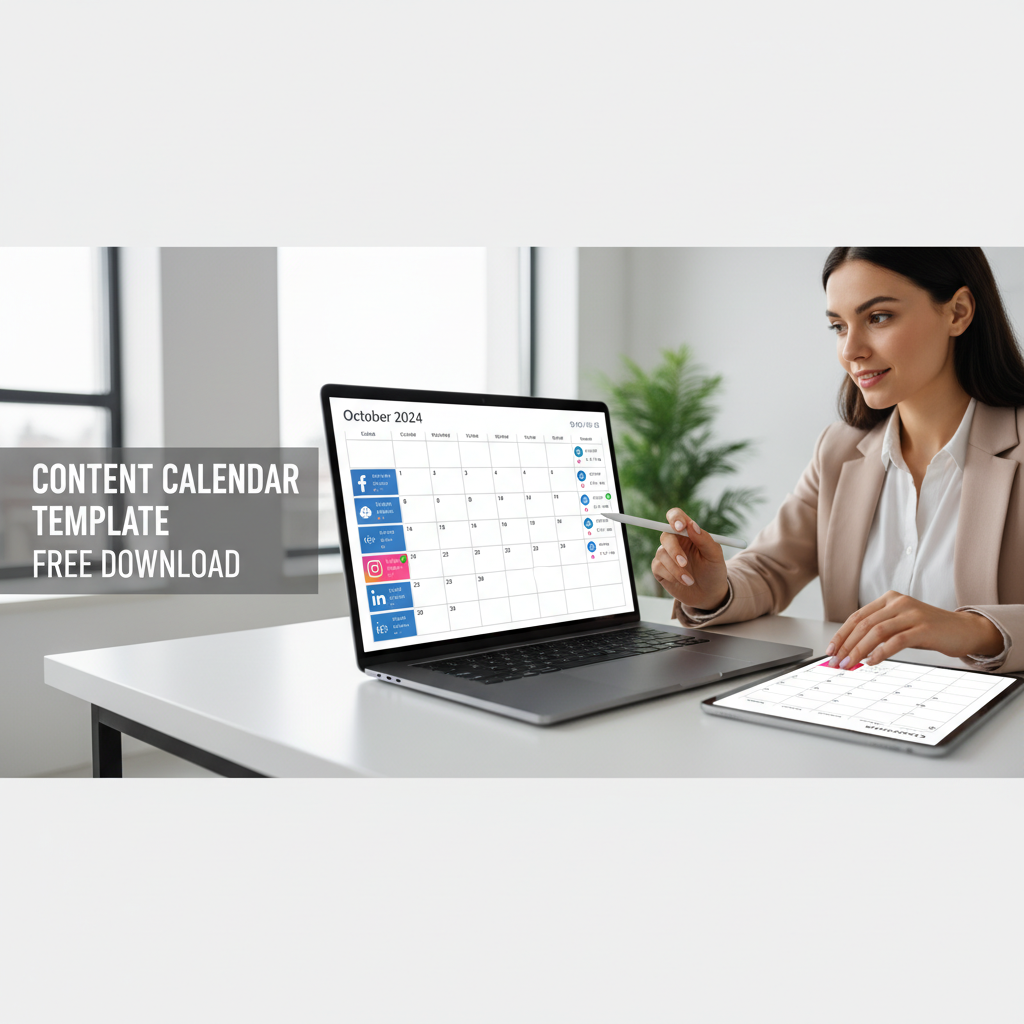
We’ve created a free, done-for-you content calendar template you can download and use immediately.
What’s included:
- Monthly calendar grid (ready to fill in)
- Content mix breakdown (educational, promotional, engagement, social proof)
- Posting schedule template (frequency + optimal times)
- Content idea generator (30 prompts to spark ideas)
- Performance tracking sheet (engagement, clicks, leads)
- Platform-specific tips (Facebook, Instagram, LinkedIn, Twitter, Pinterest)
How to use it:
- Download the template
- Fill in your posting schedule (frequency + times)
- Plan your monthly content mix
- Add your content ideas
- Schedule your posts
- Track performance weekly
- Optimize based on results
Real-World Example: Real Estate Agent
Goal: Generate 8-12 leads per month from social media
Platforms: Facebook + Instagram
Posting frequency: 2x per week (8 posts/month)
Content mix:
- 40% Educational (market tips, home buying advice, investment insights)
- 20% Promotional (open houses, new listings, free consultations)
- 20% Engagement (questions, polls, “guess the price”)
- 20% Social proof (client testimonials, sold homes, success stories)
Monthly calendar:
- Week 1: Tip Tuesday (market update) + Feature Friday (sold home testimonial)
- Week 2: Tip Tuesday (home inspection tips) + Feature Friday (client success story)
- Week 3: Tip Tuesday (first-time buyer guide) + Feature Friday (open house announcement)
- Week 4: Tip Tuesday (investment property insights) + Feature Friday (client testimonial)
Result: Consistent, strategic content that positions the agent as an expert and drives qualified leads.
Common Content Calendar Mistakes (And How to Avoid Them)
Mistake #1: Planning Too Far Ahead
Problem: You plan 3 months in advance and miss trending topics.
Solution: Plan 4-6 weeks ahead, but leave 20% of your posts flexible for trends and current events.
Mistake #2: Not Batching Content
Problem: You create one post at a time, wasting hours every week.
Solution: Batch create all your content at once using the AI method. 2 hours per month instead of 12 hours.
Mistake #3: Ignoring Performance Data
Problem: You post the same type of content every week without checking what works.
Solution: Track metrics weekly. Double down on what resonates. Cut what doesn’t.
Mistake #4: Overcomplicating It
Problem: Your calendar is so complex you abandon it after 2 weeks.
Solution: Keep it simple. Use a Google Sheet. Add basic info: date, platform, content type, caption, image. Done.
Mistake #5: Not Including Engagement Time
Problem: You schedule posts but never respond to comments.
Solution: Block 15-30 minutes daily for engagement. Respond to comments, answer questions, build relationships.
The Math: Content Calendar ROI
Without a content calendar:
- Time per week: 3-5 hours (scrambling, creating, posting)
- Consistency: Low (sporadic posting)
- Engagement: 2-5%
- Leads per month: 1-3
- Revenue per month: $295-$885
With a content calendar:
- Time per week: 30 minutes (engagement only; content pre-planned)
- Consistency: High (posts go out on schedule)
- Engagement: 8-15%
- Leads per month: 8-12
- Revenue per month: $2,360-$5,940
Monthly difference: +$1,475-$5,055 in revenue Annual difference: +$17,700-$60,660
Tools to Manage Your Content Calendar
Google Sheets (Free)
- Pros: Free, simple, shareable, no learning curve
- Cons: Limited automation, manual scheduling
- Best for: Solopreneurs, small teams
Notion (Free)
- Pros: Powerful, customizable, database features, free
- Cons: Steeper learning curve
- Best for: Teams, complex workflows
Buffer ($5-100/month)
- Pros: Easy scheduling, analytics, all platforms
- Cons: Paid, can be pricey at scale
- Best for: Growing businesses, multiple platforms
Later ($15-99/month)
- Pros: Visual calendar, Instagram/TikTok/Pinterest focus, analytics
- Cons: Paid, limited platform support
- Best for: Visual-focused businesses (fashion, fitness, food)
Hootsuite ($49-739/month)
- Pros: Enterprise-level, all platforms, advanced analytics
- Cons: Expensive, overkill for small businesses
- Best for: Agencies, large teams
My recommendation: Start with Google Sheets. As you scale, upgrade to Buffer.
Getting Started: Your First Month
Week 1: Plan
- Define your goals (15 minutes)
- Choose posting frequency (5 minutes)
- Plan your content mix (30 minutes)
- Total: 50 minutes
Week 2: Create
- Brainstorm 30 content ideas (30 minutes)
- AI writes captions (45 minutes)
- AI generates graphics (30 minutes)
- Total: 1 hour 45 minutes
Week 3: Organize
- Set up your calendar tool (15 minutes)
- Add all content to calendar (15 minutes)
- Schedule posts (15 minutes)
- Total: 45 minutes
Week 4: Monitor
- Track performance (10 minutes daily)
- Weekly review and optimization (30 minutes)
- Plan next month based on results (30 minutes)
- Total: 1 hour per week
Total time investment: 5 hours to set up, 1 hour per week to maintain
Ready to Get Organized and Consistent?
Stop posting randomly. Start posting strategically.
Download your free content calendar template and start planning your month today.
The template includes:
- Monthly calendar grid
- Content mix breakdown
- Posting schedule template
- Content idea generator (30 prompts)
- Performance tracking sheet
- Platform-specific tips
[Download Your Free Content Calendar Template]
Key Takeaways
- ✅ A content calendar keeps you organized and consistent
- ✅ Consistency improves algorithm performance and engagement
- ✅ Strategic content mix (40/20/20/20) drives better results
- ✅ Batch create all content in 2 hours per month
- ✅ Track performance weekly and optimize
- ✅ Content calendar ROI: $17,700-$60,660 per year
- ✅ Start simple with Google Sheets
- ✅ Engagement time is as important as posting time
Ready to transform your social media from chaotic to strategic? Download the template and get started today.